My Filament List
Lists Inventory Forum About
Skip to content
  • Categories
  • Recent
  • Tags
  • Popular
  • World
  • Users
  • Groups
Skins
  • Light
  • Brite
  • Cerulean
  • Cosmo
  • Flatly
  • Journal
  • Litera
  • Lumen
  • Lux
  • Materia
  • Minty
  • Morph
  • Pulse
  • Sandstone
  • Simplex
  • Sketchy
  • Spacelab
  • United
  • Yeti
  • Zephyr
  • Dark
  • Cyborg
  • Darkly
  • Quartz
  • Slate
  • Solar
  • Superhero
  • Vapor

  • Default (No Skin)
  • No Skin
Collapse

NodeBB

  1. Home
  2. Comments & Feedback
  3. [Beta Feedback] Failure to Fetch When Syncing

[Beta Feedback] Failure to Fetch When Syncing

Scheduled Pinned Locked Moved Comments & Feedback
beta-feedbackpage-profile-sy
5 Posts 2 Posters 12 Views
  • Oldest to Newest
  • Newest to Oldest
  • Most Votes
Reply
  • Reply as topic
Log in to reply
This topic has been deleted. Only users with topic management privileges can see it.
  • M Offline
    M Offline
    Missannies
    wrote on last edited by
    #1

    Page: /profile/sync
    Type: 🐛 Bug Report


    There are 4 Sunlu silk spools that I have added multiple times but they fail to sync to the cloud along with other changes I've made. I was able to find the relevant spools in the database but had to use the "custom" option to add them to my inventory as there was no spool size to select when adding to Inventory. I received a notification that there were unsaved changes needing to be synced, but then when I choose "Sync to the Cloud" I receive an error message that says "Failure to Fetch." It seems that all of the other spools I added at the same time have saved but the Sunlu "custom" ones will not.

    1 Reply Last reply
    0
    • CitingMarcC Offline
      CitingMarcC Offline
      CitingMarc
      wrote on last edited by
      #2

      Sorry to hear! I'll take a look and sort it out for you 🙂 I'll have it probably in a couple of hours ~

      1 Reply Last reply
      0
      • CitingMarcC Offline
        CitingMarcC Offline
        CitingMarc
        wrote on last edited by
        #3

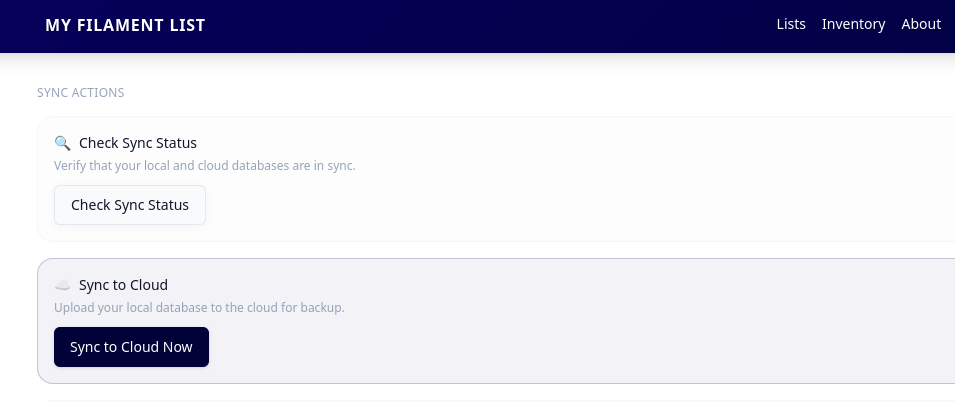
        Ah, it's an update I did recently adding transmision distance to the database and missed a spot. I've updated the backend to deal and help with the migration thank you for letting me know! You will need to do anything that tries to sync the data (modifying your inventory, adding favourites) for this to get resolved on your side, or you can go to your profile and trigger a database upload manually here 🙂
        30ef47df-67e7-4f79-9c8a-fb4216b2134d-image.png

        1 Reply Last reply
        0
        • M Offline
          M Offline
          Missannies
          wrote on last edited by
          #4

          I think that's done it! Thanks for the quick fix. 😊

          1 Reply Last reply
          0
          • CitingMarcC Offline
            CitingMarcC Offline
            CitingMarc
            wrote on last edited by
            #5

            Yey! Glad to hear 🙂 if you need anything else just let me know

            1 Reply Last reply
            0
            Reply
            • Reply as topic
            Log in to reply
            • Oldest to Newest
            • Newest to Oldest
            • Most Votes


            • Login

            • Don't have an account? Register

            • Login or register to search.
            Powered by NodeBB Contributors
            • First post
              Last post
            0
            • Categories
            • Recent
            • Tags
            • Popular
            • World
            • Users
            • Groups